You know that feeling when you’re staring at a multiple-choice question, and three of the options look perfectly reasonable, but you’re stuck trying to figure out which one doesn’t belong? If you’ve ever faced a quiz about web design and found yourself second-guessing what actually counts as “web design,” you’re definitely not alone.
Here’s the thing: web design sounds straightforward until you realize it overlaps with about a dozen other tech fields. Suddenly, you’re wondering if SEO counts, whether coding is part of it, and if that cybersecurity course you took has anything to do with making websites. Spoiler alert: some of these are connected to web design, while others are about as related as a bicycle is to baking bread.
This guide will clear up the confusion once and for all. Whether you’re studying for a test, starting your first web project, or just trying to understand what web designers actually do all day, you’ll walk away knowing exactly what belongs in the world of web design and what doesn’t. We’ll break down the core concepts, expose the imposters, and give you practical ways to spot the difference. By the end, those tricky multiple-choice questions won’t stand a chance.
What Is Web Design? (Let’s Get Crystal Clear)
Before we can figure out what’s not web design, we need to nail down what web design actually is. At its heart, web design is the process of planning and creating the visual appearance, layout, and user experience of websites. Think of it as being the architect and interior designer of the digital world—you’re deciding how things look, where they go, and how people move through the space.
Web design lives at the intersection of creativity and functionality. A web designer’s job is to make websites that are both beautiful and easy to use. That means choosing color schemes that don’t burn your retinas, arranging buttons so people can actually find them, and creating layouts that work whether you’re on a phone or a desktop computer.
The Core Components That Make Up Web Design
Visual Design is probably what you picture when someone says “web designer.” This includes everything from picking fonts and colors to deciding where images go and how big headings should be. It’s about creating a cohesive look that matches a brand’s personality—professional and sleek for a law firm, fun and colorful for a kids’ game site.
Technical Design involves the basic building blocks: HTML structures the content, CSS makes it look good, and maybe a sprinkle of JavaScript adds some interactive flair. You don’t need to be a coding wizard, but web designers typically know enough to build their designs in actual code or at least understand what’s possible.
User Experience (UX) Design focuses on how people interact with the site. Can visitors find what they’re looking for in three clicks or fewer? Does the navigation make sense? Is the checkout process so confusing that people abandon their shopping carts? UX designers obsess over these questions, creating wireframes and testing different layouts to make websites as intuitive as possible.
Web Design vs. Web Development: Not the Same Thing
Here’s where people often get confused. Web design and web development are cousins, not twins. Designers focus on the look and feel—the front-end stuff you see and interact with. Developers build the behind-the-scenes machinery that makes everything work, especially complex functionality and server-side operations. Sure, there’s overlap (plenty of people do both), but they’re distinct skill sets. Think of it this way: a designer creates the blueprint for a beautiful house, while a developer makes sure the plumbing works and the electricity flows.
Key Elements That Always Belong to Web Design
Let’s talk about the concepts that are 100%, absolutely, definitely part of web design. These are the non-negotiables, the core ingredients you can’t leave out.
Visual Design Elements
This is the obvious stuff, but it’s worth spelling out. Layouts determine how content is arranged on a page—is it a single column for mobile or a complex grid for desktop? Typography choices affect readability and mood (Comic Sans sends a very different message than elegant serif fonts). Color schemes create emotional responses and reinforce branding. Images and graphics add visual interest and communicate information faster than text alone.
All of these elements work together to create the visual identity of a website. Get them right, and you’ve got something that looks professional and polished. Get them wrong, and your site looks like it time-traveled from 1997.
Content Structure
How information is organized matters enormously. Headings break up text and create hierarchy (H1s for main titles, H2s for sections, and so on). Paragraphs need to be readable, not giant walls of text. Menus and navigation systems guide people through the site logically. White space—the empty areas around elements—gives everything room to breathe and prevents overwhelm.
Good content structure is invisible when it works. You don’t notice it until it’s missing, and then suddenly you’re lost, frustrated, and clicking the back button.
User Experience (UX) Fundamentals
Navigation flow is about mapping the journey users take through your site. Can they get from the homepage to checkout smoothly? Wireframes are those simple, sketch-like layouts that plan where everything goes before you add colors and fancy graphics. Usability testing involves watching real people use your site and fixing the parts where they get stuck.
Accessibility is increasingly important too—making sure your site works for people with disabilities, whether that means adding alt text for images or ensuring keyboard navigation works properly. Good UX design anticipates problems before they happen.
Technical Foundations
You can’t talk about web design without mentioning the technical trio. HTML (HyperText Markup Language) is the skeleton that structures content. CSS (Cascading Style Sheets) is the skin and clothes that make everything look good. JavaScript adds interactivity—think dropdown menus, image carousels, and forms that check if you’ve filled everything out before submitting.
Web designers don’t necessarily need to be expert programmers, but understanding these technologies is essential. You need to know what’s possible, what’s practical, and how to communicate with developers who’ll bring your designs to life.
Concepts Often Confused as Part of Web Design
Now we’re getting into trickier territory. These concepts dance around web design, sometimes holding hands with it, but they’re not actually part of the core discipline. This is where test questions get sneaky.
SEO (Search Engine Optimization)
SEO is all about making your website show up in Google searches. It involves keyword research, meta descriptions, optimizing images, building backlinks, and a hundred other techniques to climb those search rankings. Here’s the connection: web designers need to be aware of SEO because design choices affect it. A site that loads slowly or isn’t mobile-friendly will get penalized in search results.
But SEO itself is a separate field. You can be an amazing web designer and know nothing about keyword density or backlinking strategies. Conversely, SEO specialists often work with pre-existing websites, optimizing them without touching the design. So while web designers should understand SEO basics, it’s not a core component of web design itself.
Digital Marketing
Digital marketing promotes websites through social media campaigns, email newsletters, paid ads, content marketing, and analytics. Marketers drive traffic to sites and convert visitors into customers. Yes, designers and marketers need to collaborate—marketing input might influence design decisions like where to place call-to-action buttons or how to structure landing pages.
But creating Instagram ads or analyzing conversion rates isn’t web design. That’s marketing territory. Think of it this way: a web designer builds the store, while a marketer figures out how to get people through the door and convince them to buy something.
Graphic Design
This one trips people up constantly because graphic design and web design share significant overlap. Both involve visual communication, color theory, typography, and layout principles. Many web designers started as graphic designers (or vice versa).
However, graphic design is broader and older than web design. Graphic designers create logos, brochures, posters, book covers, packaging—all sorts of things that never touch a web browser. Web design is a specific application of visual design principles to the digital medium, with unique constraints like screen sizes, load times, and user interaction. A brilliant graphic designer might struggle with web design without understanding responsive layouts, hover states, or how people scan web pages differently than printed materials.
Programming Languages Beyond Web Basics
Python, Java, C++, Ruby, PHP—these are powerful programming languages that can do incredible things. They run servers, process data, power mobile apps, and enable complex web applications. But here’s the deal: these are development tools, not design tools.
Sure, knowing Python might help you build a dynamic website or understand what developers are talking about in meetings. But you can design beautiful, functional websites without ever writing a line of Python. These languages live in the development world, handling back-end logic that’s invisible to users. Web designers focus on the front-end—what people see and interact with—which typically means HTML, CSS, and JavaScript.
Examples of Concepts Definitely Not Related to Web Design
Alright, let’s get into the stuff that’s clearly outside web design territory. These are the answers that should immediately stand out on a multiple-choice test as the “not related” option.
Networking and Servers
When you type a website address into your browser, a lot happens behind the scenes. Your request travels through networks, reaches a server somewhere, and that server sends back the website files. Network engineers set up routers, configure protocols, and ensure data flows smoothly. Server administrators maintain the computers that host websites, handle security patches, and keep everything running 24/7.
This infrastructure is absolutely crucial—without it, websites wouldn’t exist. But setting up networks and maintaining servers has nothing to do with designing how a website looks or functions from a user’s perspective. It’s like saying that because you need electricity to run a lamp, electricians and lamp designers do the same job. They don’t. Web designers work several layers above the networking and server level.
Database Management
Databases store information—user accounts, product catalogs, blog posts, order histories, you name it. Database administrators design schemas, optimize queries, ensure data integrity, and handle backups. This is complex, important work that powers dynamic websites.
But it’s strictly back-end territory. Web designers don’t touch databases directly. They might design forms that collect data or displays that show database information, but they’re not writing SQL queries or normalizing table structures. That’s development work, specifically database development. A web designer could go their entire career without ever opening MySQL or PostgreSQL.
Cybersecurity
With hackers constantly probing for vulnerabilities, cybersecurity is more important than ever. Security specialists implement firewalls, conduct penetration testing, encrypt sensitive data, and respond to breaches. Websites need security measures like HTTPS encryption, secure authentication systems, and protection against SQL injection or cross-site scripting attacks.
Web designers should follow security best practices (like not storing passwords in plain text), but implementing comprehensive security measures isn’t part of web design. That’s a specialized field requiring deep technical knowledge about threats, vulnerabilities, and defensive strategies. You’re not going to learn how to design a beautiful homepage and become a cybersecurity expert in the same course.
Artificial Intelligence and Machine Learning
AI and machine learning are everywhere these days—chatbots, recommendation systems, image recognition, predictive analytics. Some websites integrate these technologies to personalize user experiences or automate customer service. That’s genuinely cool stuff.
But developing AI systems is a separate discipline that involves statistics, algorithms, training models on massive datasets, and specialized programming skills. Web designers might create the interface for an AI chatbot, but they’re not building the natural language processing that makes it work. Just like you don’t need to understand how a car engine works to design a car’s interior, you don’t need AI expertise to design websites.
Non-Digital Design Fields
This category should be obvious, but let’s make it explicit. Interior design, fashion design, industrial design, and architecture are all legitimate design fields with their own principles, tools, and challenges. They involve visual thinking, problem-solving, and creativity—skills that overlap with web design.
But they’re fundamentally different domains. Interior designers arrange physical spaces with furniture and lighting. Fashion designers work with fabrics and human bodies. Web designers work with pixels and code. The skills don’t directly transfer. Knowing how to design a beautiful living room doesn’t automatically mean you can design a website (though it might give you a good eye for color and layout).
How to Quickly Identify Unrelated Concepts
When you’re staring at a test question or trying to figure out if you need to learn something for your web design project, here are some mental shortcuts that’ll help you sort things out fast.
Ask: “Does It Affect How the Website Looks or Feels?”
This is your first filter. If something directly impacts the visual appearance or user experience of a website, it’s probably related to web design. Font choices? That affects how it looks. Button placement? That affects how it feels to use. These clearly belong.
If something happens entirely behind the scenes, invisible to users, it’s probably not core web design. Server configuration? Users never see that. Database optimization? Invisible. Security certificates? Important, but not a design concern. This simple question eliminates a lot of confusion.
Ask: “Is It Required for Basic Website Creation?”
Here’s another useful test. Imagine you’re building a simple personal website or portfolio as a beginner project. What do you absolutely need? HTML and CSS knowledge? Yes. Understanding of layout and color? Definitely. A sense of how navigation should work? For sure.
Advanced SEO strategies? Not for a basic site. AI integration? Nope. Server administration? You can use free hosting and never think about it. If something isn’t essential for creating a simple, functional website from scratch, it’s probably peripheral to web design or belongs to another field entirely.
Create Mental Categories
Train your brain to automatically sort concepts into buckets: Core Design (UI, UX, layouts, colors, basic HTML/CSS), Web Development (programming, databases, server-side logic), Marketing & Growth (SEO, social media, analytics), and Unrelated (networking, AI, cybersecurity, non-digital design).
When you encounter a new concept, ask yourself which bucket it belongs in. This mental organization makes it much easier to recognize what’s part of web design and what isn’t. Over time, this sorting becomes automatic, and you’ll spot the unrelated options in multiple-choice questions almost instantly.
Multiple-Choice Practice: Spot What’s Not Related
Let’s put your new knowledge to the test with some examples that mirror what you might see in real quizzes.
Sample Question 1
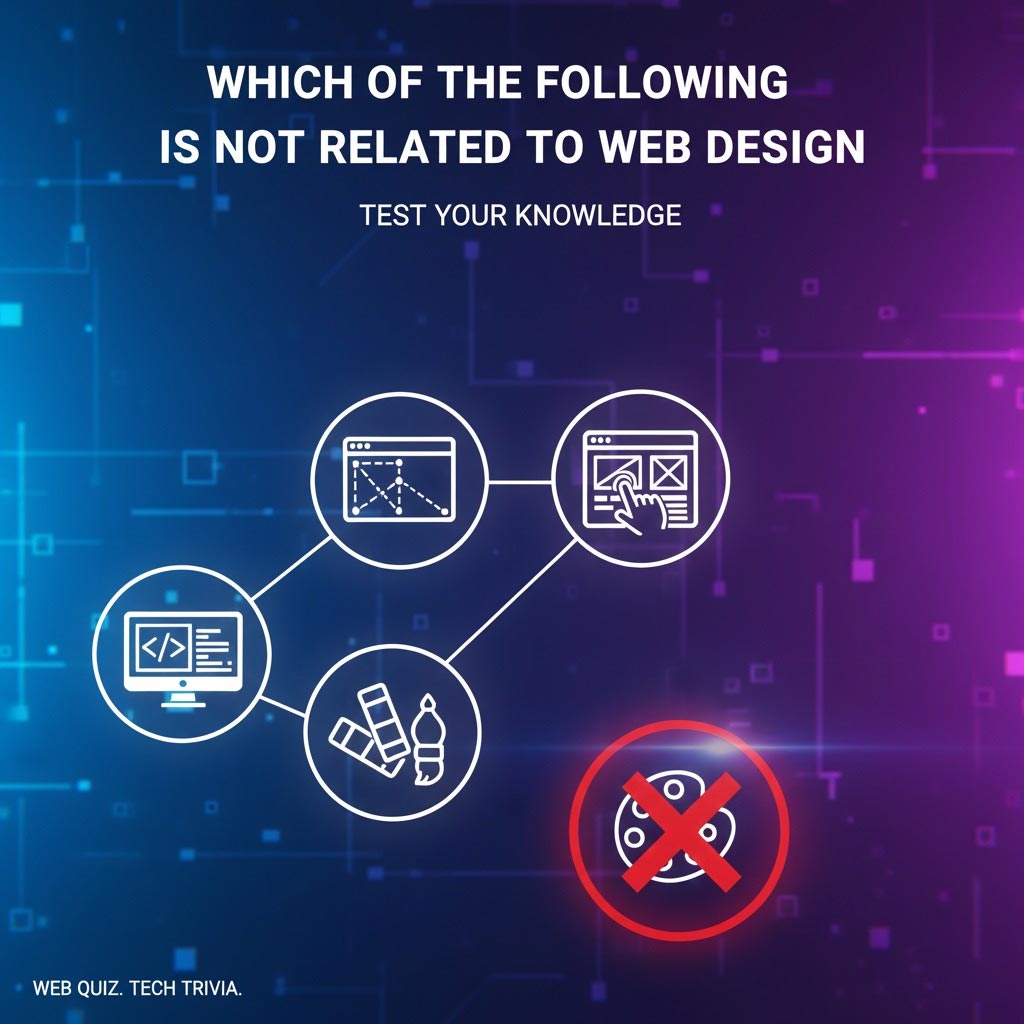
Which of the following is NOT related to web design?
A) Creating responsive layouts that work on mobile devices
B) Choosing color schemes and typography for websites
C) Configuring network routers and switches
D) Designing navigation menus and user interfaces
Answer: C
This one should jump out at you now. Options A, B, and D are all core web design activities. Responsive layouts ensure sites work across devices—that’s fundamental. Color and typography are visual design basics. Navigation and UI are essential UX components.
But configuring network routers? That’s pure networking infrastructure. It’s several layers below web design, dealing with how data moves through physical and virtual networks. A web designer never needs to touch router configuration. That’s network engineering territory, completely unrelated to designing websites.
Sample Question 2
Which of the following is NOT primarily a web design task?
A) Optimizing page load speed through image compression
B) Conducting keyword research for search engine rankings
C) Creating wireframes to plan page layouts
D) Selecting fonts that are readable on screens
Answer: B
This question is trickier because all the options sound somewhat related to websites. Let’s break them down:
Option A is borderline—while page speed optimization can involve technical development work, designers often compress images and make design decisions that affect load times. It’s part of responsible web design.
Option B is SEO work. Keyword research involves analyzing search volumes, competition, and user intent to determine which terms to target. This is marketing strategy, not design. An SEO specialist handles this, not a web designer (though they might collaborate).
Option C is pure web design. Wireframing is the process of sketching out page layouts before adding visual polish. It’s a fundamental UX design activity.
Option D is also core design work. Typography choices directly impact readability and user experience, making this a key design decision.
Tips for Answering Quickly
Start by eliminating obvious design concepts. If you see options mentioning layouts, colors, fonts, or user experience, those are almost certainly related to web design. Cross them off mentally.
Look for technical terms from other fields. Words like “database,” “server,” “network,” “algorithm,” or “encryption” usually signal that an option belongs to development, IT infrastructure, or security rather than design.
Watch for marketing-specific activities. If an option mentions keyword research, conversion rates, A/B testing headlines, or social media campaigns, that’s marketing territory, not design (even though designers and marketers work together).
Remember the core definition. Web design is about planning and creating the visual appearance and user experience of websites. If something doesn’t directly serve that purpose, it’s probably not part of web design.
Real-World Application: Why Knowing This Matters
Understanding what does and doesn’t belong to web design isn’t just academic trivia—it has practical implications for your education, projects, and career.
In School and Exams
Teachers and professors expect you to understand disciplinary boundaries. Multiple-choice questions test whether you can distinguish between related fields. Essay questions might ask you to compare web design with web development or explain the web designer’s role versus other team members.
Getting these distinctions right demonstrates genuine understanding rather than surface-level knowledge. It shows you’ve thought critically about what web design involves and how it fits into the broader tech ecosystem. That’s the difference between memorizing facts and actually comprehending the material.
In Practical Web Projects
When you’re working on real websites, knowing what’s in your lane saves enormous amounts of time and frustration. If you’re clear that SEO is a separate skill set, you won’t waste weeks trying to become an SEO expert when you should be focusing on design fundamentals.
Similarly, understanding that server configuration isn’t your job means you can use hosting platforms and get back to designing instead of getting lost in technical rabbit holes. You’ll focus your learning energy on skills that directly improve your design work rather than spreading yourself too thin trying to master every technology remotely connected to websites.
Team Collaboration
Professional web projects involve multiple specialists. Designers, front-end developers, back-end developers, SEO specialists, content writers, and project managers all contribute different expertise. Knowing where your responsibilities end and someone else’s begin prevents conflicts and miscommunication.
If you understand that database optimization is the back-end developer’s job, you won’t step on toes by making suggestions outside your expertise. Conversely, you can confidently advocate for design decisions within your domain. Clear role boundaries make teams more efficient and projects more successful.
Common Mistakes Beginners Make
Even with good intentions, newcomers to web design often stumble over the same conceptual errors. Let’s address them so you can avoid these pitfalls.
Confusing coding ability with design skill. Some beginners think being good at programming automatically makes them good designers, or vice versa. Not true. You can write beautiful, efficient code that produces ugly, confusing websites. Or you can create stunning designs that are a nightmare to code. These are different skill sets. While some overlap helps, they’re distinct disciplines requiring separate learning and practice.
Including SEO or marketing as core design tasks. Because SEO and marketing are so closely associated with websites, beginners often assume they’re part of web design. They’re not—they’re complementary but separate. This mistake leads students to study the wrong things or overwhelm themselves trying to master everything at once. Understand the connections, but recognize the boundaries.
Overestimating the role of trendy technologies. “Do I need to learn AI to be a web designer?” “What about blockchain?” “Should I study machine learning?” Usually, no. These technologies are fascinating and might integrate into websites, but they’re not web design. Don’t let fear of missing out lead you down rabbit holes that don’t serve your actual goals.
Forgetting the visual and UX focus. At its core, web design is about making websites that look good and work well for users. When you lose sight of this fundamental purpose and get distracted by back-end technologies, server administration, or marketing analytics, you’ve wandered off course. Always bring it back to the user’s visual and experiential interaction with the website.
Summary Checklist: What Is and Isn’t Part of Web Design
Let’s consolidate everything into a clear reference you can come back to whenever you’re unsure.
Core Elements (Definitely Part of Web Design):
- Visual design: layouts, color schemes, typography, images
- User interface (UI) design: buttons, forms, menus, interactive elements
- User experience (UX): navigation, wireframes, usability, accessibility
- HTML and CSS fundamentals
- Basic JavaScript for interactivity
- Responsive design for different screen sizes
- Content structure and information hierarchy
Sometimes Confused (Related but Separate):
- SEO: impacts design choices but is its own discipline
- Digital marketing: promotes sites designers create
- Graphic design: overlaps but extends beyond web
- Advanced programming: development work, not design
- Content writing: collaborates with design but is distinct
Not Related (Clearly Outside Web Design):
- Networking and server infrastructure
- Database management and administration
- Cybersecurity and penetration testing
- Artificial intelligence and machine learning
- Non-digital design fields (interior, fashion, industrial)
- System administration
- Hardware engineering
When in doubt, remember: if it doesn’t directly affect how a website looks or how users experience it, it’s probably not core web design.
Final Thoughts: Mastering Web Design Concepts
Getting clear on what belongs to web design and what doesn’t is like cleaning out a messy closet—suddenly everything has its place, and you can find what you need. This clarity builds real confidence, whether you’re taking tests, starting projects, or planning your learning path.
The beauty of understanding these boundaries is that it frees you to focus. Instead of feeling overwhelmed by the vast universe of web-related technologies, you can zero in on the skills that actually matter for web design. Master the fundamentals—visual design, UX principles, HTML, and CSS—before worrying about advanced topics in other domains.
At the same time, recognize that these boundaries aren’t walls. Good web designers communicate with developers, understand marketing goals, and appreciate how their work fits into larger technical systems. You don’t need to be an expert in everything, but curiosity about adjacent fields makes you a better collaborator and creates opportunities to grow.
Keep practicing your ability to identify what’s related and what’s not. The more you engage with this question, the more intuitive it becomes. Soon enough, you’ll look at a list of concepts and instantly spot the outlier, whether it’s on a test or in a real-world planning meeting.
Ready to Test Yourself?
Now that you’ve got the full picture, here’s how to reinforce these concepts:
Create your own quiz questions. Write out four options where three are clearly related to web design and one isn’t. Trade questions with classmates or study partners. Teaching and testing each other is one of the most effective ways to lock in knowledge.
Make a “related vs. unrelated” master list. Keep a running document where you add concepts as you encounter them, sorting them into the right categories. Over time, this becomes a valuable reference and studying from it strengthens your mental categories.
Start a simple web project. Nothing clarifies what web design involves like actually doing it. Build a basic personal website or portfolio. You’ll quickly discover which skills you’re actually using (HTML, CSS, layout decisions) and which ones don’t come up (database configuration, SEO keyword research). Hands-on experience is worth a thousand definitions.
The world of web design is creative, challenging, and constantly evolving. Understanding what it genuinely includes—and what it doesn’t—puts you on solid ground to explore this exciting field. You’ve got this!