A beautiful website isn’t enough if it loads slowly or feels unresponsive. Visitors expect websites to be fast, stable, and easy to use. If your website doesn’t meet these expectations, users may leave before they even view your content.
This is where Core Web Vitals come in. Introduced by Google, Core Web Vitals measure key aspects of your website’s user experience, including loading speed, responsiveness, and visual stability.
In this guide, you’ll learn what Core Web Vitals are, why they’re important, and practical ways to improve your website’s performance.
What Are Core Web Vitals?
Core Web Vitals are a set of performance metrics developed by Google to evaluate the overall user experience of a webpage.
These metrics focus on three essential areas:
- Loading performance
- Interactivity
- Visual stability
A website with good Core Web Vitals provides a smoother and more enjoyable browsing experience for visitors.
Why Are Core Web Vitals Important?
Core Web Vitals don’t just improve user experience—they can also support your website’s visibility in search results.
Benefits include:
- Faster page loading
- Better user experience
- Lower bounce rates
- Higher visitor engagement
- Improved website performance
- Better SEO potential
- Increased customer satisfaction
Fast and responsive websites encourage visitors to stay longer and interact with your content.
The Three Core Web Vitals
1. Largest Contentful Paint (LCP)
Largest Contentful Paint measures how quickly the main content of a webpage becomes visible.
Examples include:
- Large banner images
- Hero sections
- Main headings
- Featured content
Recommended Performance
| LCP Score | Performance |
|---|---|
| 2.5 seconds or less | Good |
| 2.5–4.0 seconds | Needs Improvement |
| More than 4.0 seconds | Poor |
How to Improve LCP
- Optimize large images.
- Use modern image formats like WebP.
- Improve server response time.
- Reduce unnecessary scripts.
- Enable browser caching.
2. Interaction to Next Paint (INP)
Interaction to Next Paint measures how quickly your website responds when visitors interact with it, such as clicking a button, opening a menu, or submitting a form.
A fast response makes your website feel smooth and responsive.
Recommended Performance
| INP Score | Performance |
|---|---|
| 200 milliseconds or less | Good |
| 200–500 milliseconds | Needs Improvement |
| More than 500 milliseconds | Poor |
How to Improve INP
- Reduce heavy JavaScript.
- Optimize plugins.
- Avoid unnecessary animations.
- Improve server performance.
- Minimize background processing.
3. Cumulative Layout Shift (CLS)
Cumulative Layout Shift measures how much your webpage unexpectedly moves while loading.
For example, if a button suddenly shifts position just as a visitor is about to click it, this creates a poor user experience.
Recommended Performance
| CLS Score | Performance |
|---|---|
| 0.1 or less | Good |
| 0.1–0.25 | Needs Improvement |
| More than 0.25 | Poor |
How to Improve CLS
- Set image dimensions.
- Reserve space for advertisements.
- Avoid inserting content above existing elements.
- Use properly sized fonts.
- Load elements in a predictable order.
Core Web Vitals at a Glance
| Metric | Measures | Goal |
|---|---|---|
| Largest Contentful Paint (LCP) | Loading speed | ≤ 2.5 seconds |
| Interaction to Next Paint (INP) | Responsiveness | ≤ 200 ms |
| Cumulative Layout Shift (CLS) | Visual stability | ≤ 0.1 |
Common Core Web Vitals Problems
| Problem | Better Solution |
|---|---|
| Large, unoptimized images | Compress images and use modern formats like WebP. |
| Too many plugins | Remove unnecessary plugins and extensions. |
| Heavy JavaScript files | Minimize and defer non-essential scripts. |
| Layout shifts during loading | Define image and media dimensions before loading. |
| Slow hosting | Choose reliable, high-performance web hosting. |
Best Practices for Better Core Web Vitals
To improve your website’s performance:
- Optimize all images before uploading.
- Use a reliable hosting provider.
- Minimize CSS and JavaScript files.
- Enable browser caching.
- Implement lazy loading for images.
- Reduce unnecessary third-party scripts.
- Keep WordPress, themes, and plugins updated.
- Test your website regularly using performance tools.
Tools to Measure Core Web Vitals
Several free tools can help you evaluate your website’s performance.
| Tool | Purpose |
|---|---|
| Google PageSpeed Insights | Measures Core Web Vitals and provides optimization suggestions. |
| Google Search Console | Monitors Core Web Vitals across your website. |
| Lighthouse | Audits website performance, accessibility, and SEO. |
| GTmetrix | Analyzes loading speed and performance. |
| Pingdom Website Speed Test | Tests website speed from different locations. |
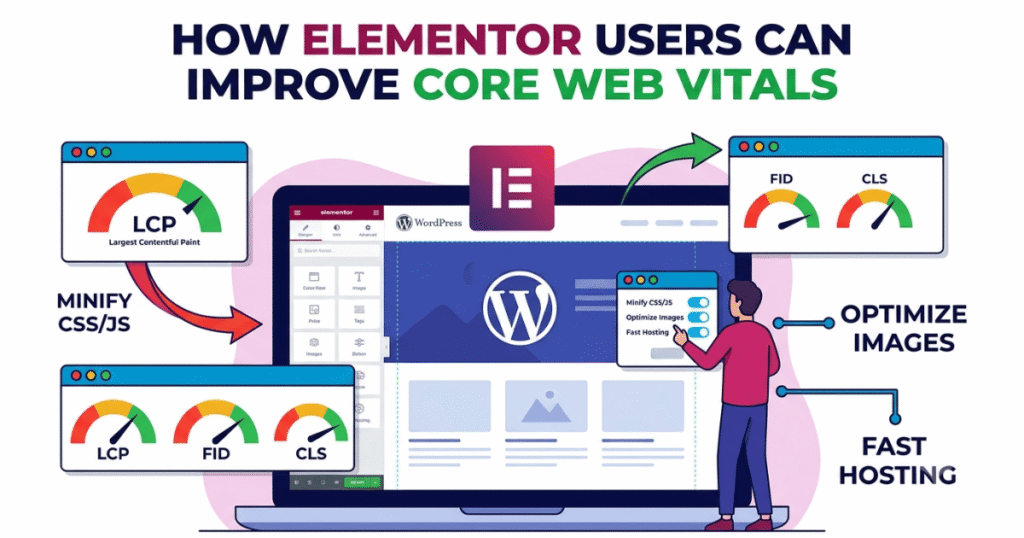
How Elementor Users Can Improve Core Web Vitals
If you’re using Elementor, you can improve Core Web Vitals by:
- Optimizing images before uploading.
- Limiting unnecessary widgets and animations.
- Using lightweight fonts.
- Keeping Elementor and WordPress updated.
- Enabling performance settings available in Elementor.
- Using a caching plugin and a content delivery network (CDN).
These practices help your Elementor website load faster and provide a better user experience.
Frequently Asked Questions (FAQ)
1. What are Core Web Vitals?
Core Web Vitals are Google’s performance metrics that measure how quickly your website loads, how responsive it is to user interactions, and how visually stable it remains while loading.
2. Do Core Web Vitals affect SEO?
Core Web Vitals are one of many factors that contribute to a good user experience. Improving them can support your website’s overall SEO performance while also making your site faster and easier to use.
3. How can I check my Core Web Vitals?
You can use free tools such as Google PageSpeed Insights, Google Search Console, Lighthouse, GTmetrix, and Pingdom Website Speed Test to evaluate your website’s performance.
4. Can Elementor websites achieve good Core Web Vitals?
Yes. By optimizing images, minimizing unnecessary widgets, enabling Elementor’s performance features, and using reliable hosting and caching, Elementor websites can achieve strong Core Web Vitals scores.
5. How often should I test my website’s Core Web Vitals?
It’s a good practice to review your Core Web Vitals at least once a month or after making significant changes to your website, such as redesigns, plugin installations, or new content additions.
Final Thoughts
Core Web Vitals are an important part of building a fast, user-friendly website. By focusing on loading speed, responsiveness, and visual stability, you can create a better experience for your visitors while supporting your website’s long-term performance.
Improving Core Web Vitals doesn’t always require major changes. Small optimizations—such as compressing images, reducing unnecessary scripts, and choosing quality hosting—can make a noticeable difference in how your website performs.
Regularly testing your website and making continuous improvements will help ensure it remains fast, reliable, and enjoyable for every visitor.