Introduction: Why You Should Care About Sitemaps
Let me guess: you spent weeks building your website. You poured your heart into the design, wrote amazing content, and hit “publish” with excitement. But weeks later, your pages still aren’t showing up on Google. You’re typing your exact business name into the search bar and… nothing. Frustrating, right?
Here’s what’s probably happening: Google doesn’t know your pages exist. And I know what you’re thinking—”But my website is live! How can Google not see it?” Well, search engines don’t just magically discover every page on the internet. They need help finding their way around your site. That’s exactly where sitemaps come in.
Think of a sitemap as a roadmap for search engines. When you visit a website, you click through menus, scroll down pages, and navigate however you want. Search engines can’t do that. They rely on code, links, and specific files to understand what’s on your site and where everything lives. A sitemap is like handing Google a complete list of every room in your house instead of making them wander around hoping to stumble upon the bathroom.
This guide exists because most sitemap explanations sound like they were written by robots for robots. You’ll find endless technical jargon about XML protocols and schema markup—stuff that makes your eyes glaze over. I’m going to explain sitemaps the way I’d explain them to my friend who just launched their first online store or my aunt who’s starting a blog about gardening.
By the end of this guide, you’ll understand what sitemaps actually do, why they matter for your website’s success, and how to create one without needing a computer science degree. No fluff, no unnecessary tech-speak—just practical information you can actually use.
What Is a Sitemap in Web Design? (Core Explanation)
Alright, let’s get to the heart of it. A sitemap is essentially a file that lists all the important pages on your website. That’s it. It tells search engines like Google, “Hey, these are all the pages I want you to know about.”
Now, here’s where people get confused: your sitemap isn’t the same thing as your website’s navigation menu. Your menu is designed for humans—it’s visual, clickable, and helps visitors find what they’re looking for. A sitemap is designed for search engine bots. It’s a behind-the-scenes file that these bots read to understand your site’s structure.
Think about it like this: imagine you’re hosting a party in a huge mansion. Your guests (human visitors) follow signs and labels you’ve put up to find the dining room, bathroom, and garden. But you also hired a photographer (search engine bot) to document the event. Instead of making them wander around hoping to find every room, you hand them a floor plan showing exactly where everything is. That floor plan is your sitemap.
Search engines use two main processes: crawling and indexing. Crawling is when a search engine bot (often called Googlebot for Google’s crawler) visits your website and reads through your pages. Indexing is when Google adds those pages to its massive database so they can show up in search results. Your sitemap makes both of these processes faster and more efficient.
Without a sitemap, search engines rely entirely on links—both internal links on your site and external links from other websites—to discover your pages. If you have a page that’s not linked anywhere (we call this an “orphan page”), Google might never find it. With a sitemap, you’re basically saying, “Don’t miss these pages, they’re important!”
Your sitemap also helps search engines understand the relationship between your pages. Which pages are main category pages? Which are subcategories? Which are individual blog posts or product pages? A properly structured sitemap gives search engines this context, helping them make sense of your entire website.
The best part? Your sitemap works quietly in the background. Visitors to your website will never see it or interact with it. It’s purely a communication tool between your website and search engines.
Types of Sitemaps Explained (With Examples)
Not all sitemaps are created equal. Depending on what kind of website you have and what type of content you publish, you might need different types of sitemaps. Let’s break down the main ones.
XML Sitemaps (Most Important for SEO)
This is the big one—the sitemap type that matters most for getting your pages indexed. XML stands for “Extensible Markup Language,” but don’t worry about the technical definition. Just know that XML is a format that search engines can easily read and understand.
An XML sitemap is a text file that lists your URLs along with some additional information about each page. When you open an XML sitemap, it looks like a bunch of code, which is fine because humans aren’t meant to read it. Search engines love it, though.
Here’s what information an XML sitemap typically includes for each URL: the page’s web address (obviously), the last modified date (when you last updated that page), the change frequency (how often the page typically changes), and sometimes a priority level.
About that priority thing—here’s something most guides won’t tell you clearly: the priority setting in your sitemap doesn’t actually make Google rank those pages higher. It just tells Google which pages you consider most important relative to other pages on your site. Google uses this as one tiny signal among thousands. Don’t stress about it too much.
HTML Sitemaps (For Users)
While XML sitemaps are for search engines, HTML sitemaps are for actual humans. An HTML sitemap is basically a page on your website that lists links to all (or most) of your other pages. It looks like a table of contents for your entire site.
You’ve probably seen these before, usually linked in the footer of websites with text like “Sitemap” or “Site Index.” They’re particularly helpful on large websites where visitors might get lost or have trouble finding specific pages through the regular navigation.
Do you absolutely need an HTML sitemap? Not really, especially if your site is small and your navigation is clear. But they’re useful for improving user experience on larger sites with hundreds of pages. Plus, they can provide additional internal linking, which helps with SEO as a nice bonus.
Image Sitemaps
If your website is heavy on images—think photography portfolios, online stores with lots of product photos, or recipe blogs with mouthwatering food pictures—you might benefit from an image sitemap.
An image sitemap tells Google about all the images on your site. This increases the chance that your images will show up in Google Images search results. For businesses where visual discovery matters (like e-commerce or creative services), this can drive meaningful traffic.
The good news is you don’t usually need a separate file for this. Most modern SEO tools can include image information right in your regular XML sitemap.
Video Sitemaps
Similar to image sitemaps, video sitemaps help search engines discover and index video content on your site. They provide information like the video’s title, description, duration, and thumbnail URL.
Now, here’s an important distinction: if you’re hosting videos on YouTube, you don’t need a video sitemap because YouTube handles all of that. Video sitemaps are only relevant if you’re hosting videos directly on your own website.
For most small business websites and blogs, video sitemaps are overkill. Unless video is a primary content type for you, you can skip this one.
News Sitemaps (Optional/Advanced)
News sitemaps are specifically designed for news organizations and websites that publish time-sensitive content that should appear in Google News. These sitemaps help Google identify your newest articles quickly.
Unless you’re running an actual news website or a blog that publishes multiple time-sensitive articles daily, you don’t need to worry about news sitemaps. The requirements to appear in Google News are pretty specific anyway, so this is definitely advanced territory.
The main takeaway here: for most websites, you really only need to worry about XML sitemaps. Everything else is nice-to-have at best.
Why Sitemaps Are Important for SEO
Let’s talk about why this actually matters for your website’s success. You’re not creating a sitemap just to check a box—there are real, tangible benefits.
Faster Indexing of Pages
When you publish a new page or blog post, you want it to show up in Google as quickly as possible, right? Without a sitemap, you’re basically hoping that Googlebot will stumble across your new page by following links. Depending on how often Google crawls your site and how well your internal linking is set up, this could take days, weeks, or even months.
With a sitemap, you’re serving that new page to Google on a silver platter. You’re saying, “This page exists, and here’s exactly where to find it.” Google can then crawl and index it much faster. Some website owners see new content indexed within hours when they have an updated sitemap submitted to Google Search Console.
Now, a sitemap isn’t a replacement for good internal linking. You should still link to your important pages from other pages on your site. Think of it as a one-two punch: internal links help both users and search engines discover your content, while your sitemap acts as a safety net to catch anything that might have been missed.
Helping Search Engines Understand Site Structure
Your website isn’t just a random collection of pages—it has a structure. You’ve got main pages, subcategories, individual product or blog post pages. This hierarchy matters, and sitemaps help search engines understand it.
For example, let’s say you run an online clothing store. Your structure might look like this: Homepage → Men’s Clothing → Shirts → Individual Product Pages. A properly organized sitemap reflects this hierarchy, helping Google understand that your “Men’s Shirts” page is more important than any individual shirt product page.
This understanding influences how Google crawls your site, how it distributes “crawl budget” (how many pages Google bothers to crawl during each visit), and ultimately how your pages might perform in search results.
Supporting Large or Complex Websites
If you have a small website with ten pages that are all linked from your navigation menu, search engines will probably find everything just fine without a sitemap. But what if you have five hundred product pages? Or you publish three new blog posts every week? Or you run a membership site with lots of dynamic content?
The bigger and more complex your site gets, the more important your sitemap becomes. E-commerce sites especially benefit from sitemaps because they often have thousands of product pages, many of which might not be easily discoverable through normal navigation.
Blogs with hundreds of posts also need sitemaps. Sure, your newest posts might be featured on your homepage, but what about that article you wrote three years ago that’s buried deep in your archives? A sitemap ensures even your older content remains discoverable.
When Sitemaps Matter the Most
Sitemaps are particularly crucial in three scenarios. First, brand new websites. When your site is fresh, you have very few external links pointing to it, so search engines might take forever to discover your pages. A sitemap speeds this up dramatically.
Second, websites with poor internal linking. Maybe your site structure isn’t ideal, or you have some orphan pages that aren’t linked from anywhere. A sitemap helps search engines find these pages anyway.
Third, websites that update frequently. If you’re publishing new content regularly, you want search engines to know about it quickly. An updated sitemap that you resubmit to Google tells them, “Hey, come back, there’s new stuff here.”
Do All Websites Need a Sitemap?
This is a fair question, and the honest answer is: technically, no. But practically speaking, yes, you should have one.
Websites That Absolutely Need a Sitemap
If your website is brand new and doesn’t have many external links yet, you need a sitemap. Without it, Google might take weeks or months to even discover that your site exists.
If you have a large website—anything over, say, 50 pages—you definitely need a sitemap. The bigger your site, the easier it is for pages to get lost in the shuffle.
E-commerce stores, regardless of size, should always have sitemaps. You’re constantly adding new products, updating existing ones, and managing inventory. A sitemap keeps everything organized and ensures all your products have a chance to appear in search results.
Websites That May Not Need One (But Still Should Have One)
Small static sites with just a handful of pages that rarely change don’t technically need sitemaps. If you have a simple five-page business website with Home, About, Services, Contact, and Blog, and all these pages are linked in your navigation, Google will find them easily enough.
One-page websites definitely don’t need sitemaps in the traditional sense. There’s literally just one page to index.
But here’s my advice: even if you fall into these categories, just create a sitemap anyway. It takes minimal effort (especially with modern tools that do it automatically), and it future-proofs your site. What if you decide to add more pages later? What if you start publishing blog posts? Better to have the foundation in place now.
Common Sitemap Myths
Let me bust a few myths right now. First, having a sitemap does not guarantee higher rankings. People think, “I’ll submit my sitemap and shoot up to page one!” Nope. A sitemap helps Google find and index your pages, but ranking well requires good content, proper optimization, and lots of other factors.
Second, “small sites don’t need sitemaps” is misleading. While it’s true that small sites can function without them, there’s no reason not to have one. It’s like saying you don’t need insurance because you’re a careful driver. Sure, maybe nothing will go wrong, but why take the chance?
Third, “sitemaps are only for SEO” isn’t entirely accurate. While XML sitemaps are primarily an SEO tool, the concept of sitemaps extends to website planning and user experience too, which we’ll discuss next.
How a Sitemap Fits Into Web Design
Here’s where things get interesting: sitemaps aren’t just about SEO. They play a crucial role in the actual design and planning of websites.
Sitemap as a Planning Tool
Before a single line of code is written or a design mockup is created, many web designers and developers start with a sitemap. But we’re not talking about an XML sitemap here—we’re talking about a visual sitemap that maps out the site’s structure.
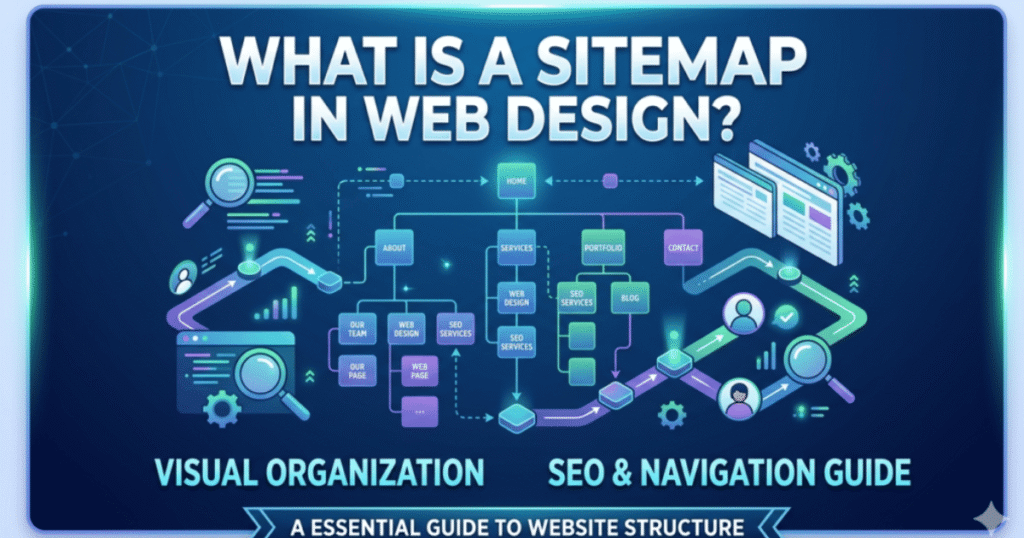
This type of sitemap looks more like a flowchart or organizational chart. At the top, you’ve got the homepage. Below that, you have your main sections or category pages. Below those, you have subsections and individual pages. It’s a bird’s-eye view of how the entire website will be organized.
Creating this visual sitemap before diving into design helps answer important questions: How many main navigation items should we have? What’s the logical grouping of content? How many clicks does it take to get from the homepage to any given page? Which pages are most important?
This planning phase prevents you from building a website that’s confusing or poorly organized. It’s way easier to move boxes around on a sitemap than it is to restructure a website after it’s already built.
Sitemaps in UX and Information Architecture
User experience (UX) designers use sitemaps to ensure logical page flow and intuitive navigation. They think about questions like: If someone lands on a product page, what related pages should be easily accessible? How do we prevent users from hitting dead ends?
One key principle in information architecture is avoiding orphan pages—pages that aren’t linked from anywhere else on your site. A well-planned sitemap helps identify these potential orphans before they become a problem.
The goal is to create a structure where users can find what they need in three clicks or less. A visual sitemap makes it easy to test this: pick any page at random and count how many levels deep it is. If you’re consistently needing four, five, or six levels to reach important content, your structure might be too complicated.
Designer vs Developer Perspective
Here’s where terminology can get confusing: designers talk about sitemaps, and developers talk about sitemaps, but they’re often referring to different things.
A designer’s sitemap is a visual planning document—usually created in tools like Figma, Adobe XD, or even just a whiteboard. It shows boxes and arrows representing pages and their relationships. This is used during the planning and design phase.
A developer’s sitemap is the actual XML file that gets uploaded to your website and submitted to search engines. It’s created with code or automated tools and serves a technical SEO function.
Both are important, and ideally, they should match. If your visual sitemap during the design phase shows a certain structure, your XML sitemap should reflect that same structure once the site is built.
How to Create a Sitemap (Step-by-Step)
Now for the practical part: actually creating your sitemap. The good news is that in 2025, this process is much easier than it used to be.
Creating a Sitemap Automatically (Recommended)
If your website is built on a content management system like WordPress, Shopify, or Squarespace, you’re in luck. Many of these platforms now create sitemaps automatically.
WordPress, for instance, has built-in sitemap functionality as of version 5.5. Your sitemap is automatically generated at yourdomain.com/wp-sitemap.xml without you having to do anything. It updates automatically whenever you add or modify pages.
For even more control, you can use SEO plugins. Yoast SEO and Rank Math are two popular WordPress plugins that not only create sitemaps but give you control over what’s included and excluded. These plugins let you easily exclude specific pages, set priorities, and customize your sitemap to fit your needs.
If you’re on Shopify, your sitemap is automatically available at yourdomain.com/sitemap.xml. Same deal with Wix, Squarespace, and most other modern website builders. They handle this for you behind the scenes.
The bottom line: check if your platform has built-in sitemap functionality before doing anything manually. Chances are, you already have a sitemap and didn’t even know it.
Creating a Sitemap Using Online Tools
What if you have a custom-built website or your platform doesn’t generate sitemaps automatically? There are free online sitemap generator tools that can help.
Tools like XML-Sitemaps.com, Screaming Frog SEO Spider (free version for small sites), and Sitebulb can crawl your website and generate an XML sitemap for you. You enter your website URL, the tool crawls all your pages, and then it creates a sitemap file you can download and upload to your website’s root directory.
These tools are great for one-time sitemap creation, but remember: every time you add new pages or make significant changes to your site, you’ll need to regenerate and reupload your sitemap. This is why automatic generation is always preferable.
Creating a Sitemap Manually (Basic Overview)
Creating a sitemap manually is possible but honestly not recommended unless you have a very specific reason. An XML sitemap is basically a text file with a specific structure that looks something like this:
Each URL entry includes the page location, when it was last modified, how often it changes, and its priority. You’d need to create this file in a text editor, save it as sitemap.xml, and upload it to your website’s root directory (the same place where your homepage lives).
Unless you enjoy writing code and have a very small, static website, skip the manual route. The potential for human error is high, and automated tools do this job much better and faster.
How to Submit a Sitemap to Google
Creating your sitemap is only half the battle. Now you need to tell Google about it.
What Is Google Search Console?
Google Search Console is a free tool from Google that lets you monitor and maintain your site’s presence in Google search results. Think of it as your direct line of communication with Google. You can see how your site is performing, identify issues, and yes, submit your sitemap.
If you don’t have a Google Search Console account yet, go set one up right now. Seriously, it’s one of the most valuable free tools available to website owners. You’ll need to verify that you own the website, which usually involves adding a small piece of code to your site or using your Google Analytics connection.
Step-by-Step Sitemap Submission
Once you’re logged into Google Search Console, here’s how to submit your sitemap. First, find your sitemap URL. This is usually yourdomain.com/sitemap.xml, but it might be different depending on your platform or plugin settings.
In Google Search Console, look for the “Sitemaps” section in the left sidebar (it’s usually under the “Indexing” category). You’ll see a field where you can enter your sitemap URL. You only need to enter the part after your domain name—so if your full sitemap URL is www.example.com/sitemap.xml, you’d just type “sitemap.xml” in the field.
Click submit, and you’re done. Google will process your sitemap and start using it to discover and crawl your pages. You can check back in a few days to see if your sitemap was successfully processed and how many URLs were discovered.
Common Submission Errors
Sometimes things go wrong. The most common error is “Couldn’t fetch,” which means Google tried to access your sitemap but couldn’t reach it. This usually happens because the sitemap URL is wrong, your sitemap file doesn’t actually exist where you said it would, or your hosting server had a temporary hiccup.
Double-check your sitemap URL by typing it directly into your browser. If you can see the sitemap (it’ll look like a bunch of code), Google should be able to fetch it too. If you get an error, the file might not be uploaded properly.
Another common issue is submitting the wrong URL format. Make sure you’re not including “http://” or your domain name—just the path to the sitemap file.
Sitemap Best Practices (Beginner-Friendly)
Not all sitemaps are created equal. Here’s how to make sure yours is actually helpful.
What Pages to Include
Your sitemap should include all the pages you want search engines to index—basically, your important, public-facing content. This means your main service or product pages, blog posts, category pages, and any other content you’ve created for people to find and read.
Focus on quality over quantity. If you have thousands of pages, that’s fine, but make sure you’re not just throwing everything in there for the sake of it.
What Pages to Exclude
Don’t include pages that you don’t want showing up in search results. This includes admin pages, login pages, duplicate content, thank-you pages that people see after filling out forms, checkout pages, and any other pages that only make sense in specific contexts.
Many SEO plugins let you easily exclude certain page types or specific URLs from your sitemap. Use these settings to keep your sitemap clean and focused.
Also, don’t include broken pages or redirected URLs. Your sitemap should only list pages that return a successful HTTP 200 status code (web developer talk for “this page loads properly”).
Keeping Your Sitemap Updated
If you’re using automatic sitemap generation (which you should be), your sitemap updates itself whenever you add, modify, or delete pages. You don’t need to do anything.
If you’re manually managing your sitemap, you’ll need to update it whenever your site structure changes significantly. That said, you don’t need to resubmit your sitemap to Google every single time. Google will automatically check for updates periodically. That said, if you’ve made major changes, resubmitting can speed up the process.
Common Sitemap Mistakes to Avoid
Let’s talk about what not to do.
The biggest mistake is including broken links in your sitemap. If Google tries to crawl a URL from your sitemap and gets a 404 error, it wastes crawl budget and makes your site look poorly maintained. Regularly audit your sitemap to make sure all URLs are working.
Another common error is accidentally blocking your sitemap URL with your robots.txt file. Your robots.txt file tells search engines which pages not to crawl, and if you’ve accidentally included your sitemap in that list, search engines can’t access it. Your robots.txt should actually reference your sitemap, not block it.
Submitting multiple conflicting sitemaps confuses search engines. If you have an old sitemap and create a new one, remove the old one from Google Search Console. You can have multiple sitemaps if your site is huge, but they should work together, not contradict each other.
Finally, don’t forget to update your sitemap after a website redesign. If you’ve changed URLs, restructured your site, or deleted old pages, your sitemap needs to reflect these changes.
Sitemap vs Robots.txt (Clearing the Confusion)
People often mix up sitemaps and robots.txt files, so let’s clear this up once and for all.
What Robots.txt Does
Your robots.txt file is a text file that tells search engine crawlers which parts of your site they’re allowed to access. It’s like a bouncer at a club—it controls who gets in and where they can go.
For example, you might use robots.txt to prevent search engines from crawling your admin pages, duplicate content, or certain folders on your site. The key thing to understand is that robots.txt controls access, while sitemaps guide discovery.
How Robots.txt and Sitemaps Work Together
These two files actually work hand-in-hand. Your robots.txt file should include a reference to your sitemap location. This tells crawlers, “Here’s what you’re not allowed to crawl, and by the way, here’s a map of everything you are allowed to crawl.”
A well-configured robots.txt might include a line like “Sitemap: https://www.yoursite.com/sitemap.xml” at the bottom. This helps search engines find your sitemap automatically, even if you haven’t submitted it through Google Search Console.
Common Beginner Errors
The most common mistake is accidentally blocking important pages in your robots.txt while including them in your sitemap. This sends mixed signals. You’re basically saying, “Don’t crawl this page, but also, please crawl this page.” Search engines will follow the robots.txt directive and ignore the sitemap entry.
Make sure any URL in your sitemap is crawlable according to your robots.txt file. Most SEO tools will alert you if there’s a conflict.
Frequently Asked Questions About Sitemaps
How often should I update my sitemap?
If you’re using automatic sitemap generation, it happens in real-time, and you don’t need to worry about it. If you’re managing it manually, update your sitemap whenever you add significant new content or make structural changes to your site. There’s no need to update it for minor text edits on existing pages.
Can I have multiple sitemaps?
Yes, absolutely. Large websites often have multiple sitemaps organized by content type or section. For example, you might have one sitemap for blog posts, another for products, and another for category pages. You can then create a sitemap index file that lists all your individual sitemaps. Google can handle this just fine.
What is a sitemap index file?
A sitemap index file is basically a sitemap of sitemaps. If you have multiple sitemap files, the index file lists them all in one place. This is useful for very large websites where a single sitemap would be too big or too complex. Most small to medium-sized websites don’t need to worry about this.
Does a sitemap improve rankings directly?
No. Let me be crystal clear about this: submitting a sitemap does not directly improve your search engine rankings. It helps search engines find and index your pages, which is a necessary first step, but it doesn’t make those pages rank higher. Rankings depend on content quality, relevance, backlinks, technical optimization, and hundreds of other factors. A sitemap just ensures your pages are in the game.
Final Thoughts: Sitemaps as a Foundation for SEO-Friendly Web Design
If you’ve made it this far, you now know more about sitemaps than 90% of website owners out there. And honestly, that’s not a high bar—most people never think about sitemaps at all. But you’re different. You understand that success online isn’t just about having a pretty website; it’s about making sure people can actually find it.
A sitemap is one of those foundational elements that doesn’t seem exciting or glamorous, but it quietly does important work behind the scenes. It’s like the plumbing in your house—you don’t think about it until something goes wrong.
The key takeaways? Every website should have an XML sitemap. If your platform doesn’t create one automatically, set one up using a plugin or tool. Submit your sitemap to Google Search Console so Google knows about all your important pages. Keep your sitemap updated as your site grows and changes. And remember that a sitemap is just one piece of the SEO puzzle—it helps search engines find your content, but you still need great content worth finding.
If you’ve never checked whether your website has a sitemap, do it right now. Type yourdomain.com/sitemap.xml into your browser and see what happens. If you see an XML file with a list of URLs, congratulations, you’re all set. If you get an error, it’s time to create one.
And once your sitemap is squared away, don’t stop there. Focus on building quality content, improving your site’s speed and user experience, and creating a clear internal linking structure. All of these elements work together to create a website that both users and search engines love.
The web design world can feel overwhelming, especially when you’re just starting out. But understanding sitemaps—really understanding them—gives you a solid foundation to build on. You’re no longer fumbling in the dark hoping Google will find your pages. You’re actively guiding them where you want them to go.
Now go check if you have a sitemap, submit it to Google if you haven’t already, and then move forward with confidence knowing you’ve got this crucial piece of your website’s infrastructure in place.