1. Introduction: The Small Design Detail You’ve Seen Everywhere
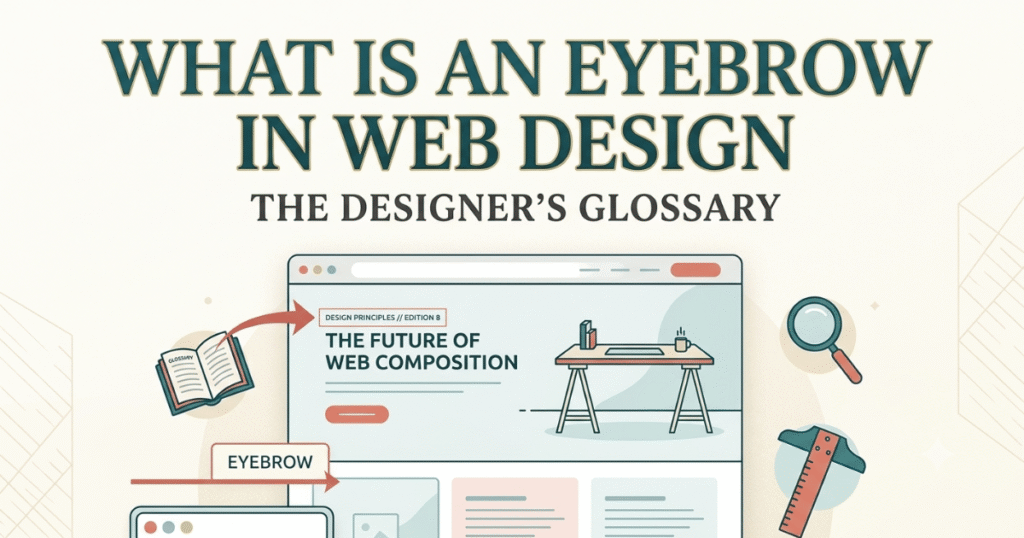
You’ve definitely seen eyebrows in web design before—probably hundreds of times today alone. That small bit of text sitting just above a big headline? The little label that says “New Feature” or “Why Choose Us” right before the main message? That’s an eyebrow, and once you start noticing them, you’ll see them absolutely everywhere.
1.1 The Confusing Term “Eyebrow”
Let’s address the elephant in the room: eyebrow is a weird name for a web design element. It has nothing to do with the hair above your eyes (though the placement logic is similar—it sits “above” the main content). The term comes from print design, where these small headlines appeared above the main story title in newspapers and magazines.
You’ll typically spot eyebrows doing their thing in hero sections—that first big area you see when landing on a website. They’re also common on landing pages, product pages, and really anywhere a designer wants to add context before hitting you with the main headline. Think of Apple’s product launches, SaaS homepages, or modern agency websites. That little text element setting up the main message? Yep, that’s your eyebrow at work.
1.2 Why Understanding Eyebrows Matters
Here’s the thing: good design isn’t about making things pretty. It’s about making things work. Eyebrows play a crucial role in content hierarchy—helping your brain understand what’s important and in what order. They’re like signposts on a highway, giving you quick context before you dive into the main content.
When someone lands on your website, they’re not reading every word. They’re scanning, skimming, hunting for what matters to them. Eyebrows dramatically improve scannability by breaking up content and giving clear visual cues about what each section covers. They turn a wall of text into an organized, digestible experience.
1.3 What This Guide Will Teach You
By the time you finish this guide, you’ll understand exactly what eyebrows are and why they matter in modern web design. We’ll cover where to use them (and where not to), how to write eyebrow text that actually helps users, and how to style them so they enhance rather than confuse your visual hierarchy.
Whether you’re designing your first website or trying to level up your UI skills, mastering this small detail will make a noticeable difference in how professional and user-friendly your designs feel.
2. What Is an Eyebrow in Web Design? (Simple Definition)
2.1 Plain-English Definition
An eyebrow in web design is a short piece of text—usually just a few words—that appears directly above a heading or title. Its job is simple: provide quick context about what’s coming next. Think of it as a preview or category label that helps users orient themselves before they read the main message.
The eyebrow guides attention by creating a natural reading flow. Your eyes catch the small text first, which primes your brain for the larger heading that follows. This creates a smooth visual path and makes content feel more organized and intentional.
Let’s say you’re looking at a SaaS homepage. You might see something like:
FOR MARKETING TEAMS
Automate Your Content Calendar in Minutes
That “FOR MARKETING TEAMS” text? That’s the eyebrow. It tells you who this section is for before the main headline explains what it does. Without it, you’d just see the headline and have to figure out the context yourself.
2.2 What an Eyebrow Is NOT
This is important because beginners often confuse eyebrows with other text elements. An eyebrow is not a subtitle or subheading—those come after the main heading and provide additional detail or explanation. Eyebrows always come before.
An eyebrow also isn’t a tagline. Taglines are catchy phrases that represent your brand (“Just Do It” or “Think Different”). Eyebrows are functional labels that categorize or contextualize specific sections of content.
And here’s a big one: eyebrows aren’t decorative text. Every eyebrow should serve a purpose. If it doesn’t add clarity or context, it’s just visual clutter taking up valuable space and attention.
2.3 Common Names for Eyebrows
The design world loves having multiple names for the same thing, and eyebrows are no exception. You might hear them called “overline text” (a very literal description), “kickers” (borrowed from journalism), or simply “label text.”
In design systems and style guides, they’re sometimes referred to as support text, pre-headers, or category labels. Different companies use different terminology, but they’re all talking about the same element: that short contextual text above a heading.
3. Where Eyebrows Appear on a Website
3.1 Eyebrows in Hero Sections
The hero section—that prime real estate at the top of your homepage—is eyebrow territory. This is where you have seconds to communicate who you are and what you offer. An eyebrow here sets immediate context before your main value proposition.
Pre-headline context is especially powerful for targeting specific audiences. Instead of making everyone read your entire headline to figure out if your product is relevant, the eyebrow does that job instantly.
Messaging examples you’ll see constantly:
- “INTRODUCING” (for product launches)
- “TRUSTED BY 10,000+ TEAMS” (for social proof)
- “FOR ENTERPRISE” (for audience targeting)
- “NEW RELEASE” (for announcements)
These tiny labels do heavy lifting. They tell visitors whether to keep reading or scroll on, saving everyone time and improving the user experience.
3.2 Eyebrows in Section Headers
As users scroll down your page, eyebrows continue to provide structure. In feature sections, they might label different benefit categories: “Security Features,” “Collaboration Tools,” or “Analytics Dashboard.”
Testimonial sections often use eyebrows to categorize feedback: “What Customers Say,” “Success Stories,” or “Industry Leaders Love Us.” This helps users quickly find the type of social proof most relevant to them.
The pattern is consistent: eyebrow provides category or context, headline delivers the main message, body text expands on details. This three-tier hierarchy makes content scannable and approachable.
3.3 Eyebrows in Cards and Components
Beyond big page sections, eyebrows appear in smaller UI components too. Blog cards frequently use eyebrows to show categories or post types—”Tutorial,” “Case Study,” “Product Update”—helping readers find content that matches their interests.
Pricing cards might use eyebrows to highlight plan types or special offers: “Most Popular,” “For Small Teams,” or “Limited Offer.” These labels guide decision-making by emphasizing key differences between options.
Product cards in e-commerce often employ eyebrows for status labels like “New Arrival,” “Best Seller,” or “Limited Edition.” These create urgency and help shoppers navigate large catalogs more efficiently.
4. Why Eyebrows Matter for UX and Visual Hierarchy
4.1 How Users Scan Web Pages
Research into reading patterns reveals that people don’t read websites the way they read books. Instead, they scan in predictable patterns, most commonly the F-pattern and Z-pattern. The F-pattern involves reading across the top, scanning down the left side, and occasionally reading across again when something catches attention.
Z-pattern scanning happens on simpler pages with less text, where eyes move from top-left to top-right, then diagonally down to bottom-left, then across to bottom-right. Both patterns emphasize the importance of strategic text placement.
Eyebrows work with these natural scanning behaviors. Positioned at the start of each content section, they act as entry points that catch the eye and signal new information is starting. They’re perfectly placed to intercept scanning eyes and provide quick orientation.
4.2 Eyebrows as Attention Anchors
Think of your website as a roadmap and eyebrows as the exit signs. They create stopping points where users can pause, assess, and decide whether to engage more deeply with the content. This is particularly valuable on long pages where users might otherwise feel lost.
Setting expectations before reading is crucial for good UX. When someone knows what a section is about before investing mental energy in reading the details, they can make informed decisions about where to focus attention. Eyebrows prevent the frustrating experience of reading an entire section only to realize it wasn’t relevant.
They also create visual rhythm. When used consistently throughout a design, eyebrows establish a pattern that users quickly learn to recognize. This familiarity makes navigation feel intuitive and reduces the friction of exploring your content.
4.3 Reducing Cognitive Load
Cognitive load is the mental effort required to use your website. Every confusing element, unclear label, or unexpected layout increases that load. Eyebrows reduce cognitive load by chunking information into manageable, labeled pieces.
Helping users understand sections faster means they can accomplish their goals with less effort. Instead of puzzling over whether a section is relevant, the eyebrow tells them immediately. This seemingly small efficiency gain compounds across an entire website visit.
Lower cognitive load translates directly to better user experience and higher conversion rates. When people can quickly find what they need without confusion or frustration, they’re more likely to stick around, engage with your content, and take desired actions.
5. Eyebrow vs Heading vs Subheading
5.1 The Content Hierarchy Breakdown
Understanding how eyebrows fit into the overall content hierarchy is essential for using them correctly. The typical structure flows like this:
Eyebrow (smallest, provides context)
Heading (largest, main message)
Subheading (medium, supporting detail)
Body text (paragraph text, full explanation)
This hierarchy creates a visual funnel that guides readers from general context down to specific details. Each level serves a distinct purpose and works together to create clarity.
The eyebrow sets the stage, the heading delivers the punch, the subheading adds nuance, and the body text provides complete information. Skip any level and something feels off. Include them all thoughtfully and your content feels professional and easy to navigate.
5.2 Key Differences Explained
Size matters: Eyebrows should be noticeably smaller than headings—sometimes even smaller than body text. This size difference signals their supporting role. If your eyebrow is as large as your heading, you’ve broken the hierarchy.
Purpose differentiates: Eyebrows categorize or provide context. Headings communicate the main point or value proposition. Subheadings expand on the heading with additional detail. Body text explains everything fully.
Placement is precise: Eyebrows always sit above headings with clear spacing. Subheadings always come below headings. This consistent placement becomes a visual language your users quickly learn to read.
5.3 Common Beginner Mistakes
Using long sentences as eyebrows defeats their purpose. If your eyebrow is a full sentence or more, it’s probably a subheading in disguise. Eyebrows should be scannable at a glance—three to five words max in most cases.
Styling subheadings like eyebrows creates confusion. Some designers make subheadings small and place them above headings, thinking it looks modern. This reverses the hierarchy and makes content harder to scan.
Another frequent mistake is overusing design emphasis on eyebrows—making them bold, large, or more colorful than the heading. The eyebrow should support the heading, not compete with it for attention. It’s the opening act, not the main event.
6. How to Write Effective Eyebrow Text
6.1 Keep It Short and Clear
The golden rule for eyebrow text: one to five words. Seriously, that’s it. The moment your eyebrow becomes a full sentence, you’re doing it wrong. These aren’t meant to be read carefully—they’re meant to be absorbed in a split second.
Think labels, not explanations. “Customer Success” works. “Learn How Our Customers Achieved Success With Our Platform” doesn’t. The first is an eyebrow; the second is trying to be a heading.
Brevity forces clarity. When you only have three words to work with, you can’t hide behind vague language or marketing fluff. You have to be direct about what the section contains.
6.2 Types of Eyebrow Copy
Category labels are the most straightforward approach. “Features,” “Pricing,” “About Us,” “Case Studies”—these simple labels help users navigate your site’s structure. They’re functional and clear.
Benefit-focused labels add more punch by highlighting value: “Save Time,” “Increase Revenue,” “Reduce Costs.” These work particularly well in marketing contexts where you want to emphasize outcomes.
Status or context labels provide situational information: “New Feature,” “Limited Time,” “Popular Choice,” “For Developers.” These help users understand timing, exclusivity, or relevance before engaging with the content.
6.3 Good vs Bad Eyebrow Examples
Good eyebrow: “FOR SMALL BUSINESSES”
Bad eyebrow: “We’ve Designed This Section Specifically For Small Business Owners”
The good example is scannable, clear, and lets the heading do the heavy lifting. The bad example is too long and tries to be both eyebrow and heading simultaneously.
Good eyebrow: “SECURITY FIRST”
Bad eyebrow: “Our Commitment To Your Security”
The good example is punchy and direct. The bad example sounds like a headline and lacks the concise labeling function of a true eyebrow.
Good eyebrow: “TESTIMONIALS”
Bad eyebrow: “Don’t Just Take Our Word For It”
The good example clearly categorizes the content. The bad example is a catchy phrase that might work as a heading but fails as an eyebrow because it doesn’t provide clear context at a glance.
7. How to Design an Eyebrow (Typography & Style)
7.1 Font Size and Weight
Start with size: your eyebrow should be smaller than your heading—significantly smaller. A common approach is to make eyebrows 40-60% of the heading size. If your heading is 48px, your eyebrow might be 20-28px.
But here’s the trick: you can make eyebrows smaller than body text and they’ll still work. In fact, many modern designs use 12-14px eyebrows even when body text is 16-18px. The contrast with the large heading makes the small eyebrow feel intentional rather than hard to read.
Font weight helps create clear contrast too. If your heading is bold, your eyebrow might be semi-bold or medium weight. The weight difference reinforces the hierarchy visually. Some designs use uppercase letters for eyebrows while keeping headings in sentence case—this creates distinction without requiring drastic size differences.
7.2 Color and Visual Emphasis
Accent colors are popular for eyebrows because they add visual interest without overwhelming the heading. A muted brand color—say 60% opacity of your primary color—can make eyebrows pop just enough to be noticed without competing for dominance.
Muted styles work beautifully for understated designs. Gray text (around 60-70% opacity black) creates subtle categorization that doesn’t distract from the main message. This approach suits professional services, B2B sites, and content-heavy platforms.
Bold styles with bright colors or full-strength brand colors work for more energetic designs. Product launches, sales pages, and consumer-facing brands often use vibrant eyebrow treatments to create excitement and movement.
The key is consistency: whatever style you choose, apply it uniformly across your site so users learn to recognize eyebrows as navigational aids.
7.3 Spacing and Placement
Distance from heading matters more than you’d think. Too close and the eyebrow looks cramped or confused with the heading. Too far and it feels disconnected. A good starting point is 8-16px of spacing between the eyebrow and heading, depending on your overall design scale.
The space below the eyebrow should be noticeably smaller than the space above it. This creates visual grouping—the eyebrow clearly belongs with the heading that follows, not the content that preceded it.
Alignment rules are simple: left-align for most text-heavy content, center-align for hero sections and marketing pages. Avoid right-alignment unless you’re working in a right-to-left language or have a specific artistic reason.
Letter spacing (tracking) is often increased slightly in eyebrows, especially when using all caps. This improves readability at small sizes and gives eyebrows a distinct typographic feel.
8. Eyebrows in Conversion-Focused Design
8.1 Landing Pages and Sales Pages
Landing pages live or die by clarity. When someone clicks an ad and lands on your page, they need to understand what you’re offering in about three seconds. Eyebrows help you nail that critical first impression.
Setting context quickly prevents confusion and reduces bounce rate. If your ad says “Project Management for Agencies” and your landing page eyebrow says “FOR CREATIVE AGENCIES,” there’s immediate confirmation that the visitor is in the right place.
Sales pages often use eyebrows to break up long content into digestible sections: “The Problem,” “Our Solution,” “How It Works,” “What You Get.” This structure guides visitors through your sales narrative while making the page feel less overwhelming.
8.2 SaaS and Product Websites
SaaS sites love eyebrows because they often need to explain complex products with multiple features. Feature grouping with eyebrows—”Collaboration Features,” “Security Features,” “Integration Options”—helps visitors quickly jump to what matters most to them.
Product websites use eyebrows to segment audiences: “For Startups,” “For Enterprise,” “For Developers.” This audience-first approach acknowledges that different users have different needs and helps each group find relevant information fast.
The freemium model benefits from eyebrows too: “Free Plan,” “Pro Features,” “Enterprise Add-Ons.” These labels help visitors understand your pricing structure without wading through paragraphs of feature comparisons.
8.3 Trust and Clarity in Marketing Pages
Marketing pages balance persuasion with information. Eyebrows support this balance by reducing confusion—when visitors understand what each section offers, they’re more likely to engage rather than bounce.
Trust builds when users don’t feel tricked or confused. Clear eyebrows that accurately label content demonstrate respect for the visitor’s time and intelligence. This transparency contributes to overall brand credibility.
Reducing confusion directly impacts conversion rates. Every moment someone spends trying to figure out what a section is about is a moment they’re not moving toward conversion. Eyebrows eliminate those moments.
9. Do Eyebrows Affect SEO?
9.1 Eyebrows vs HTML Headings
Here’s something crucial: eyebrows are usually not semantic HTML headings (H1, H2, H3, etc.). They’re typically styled <span> or <p> elements that look like headings but don’t function as headings in your HTML structure.
Why does this matter? Search engines use heading tags to understand your content hierarchy and determine what your page is about. If you mark up eyebrows as actual headings, you can confuse this structure and potentially harm your SEO.
Best practice: keep your semantic heading hierarchy clean (one H1, then H2s for main sections, H3s for subsections) and mark up eyebrows as non-heading elements styled to look small and supportive.
9.2 Accessibility Considerations
Screen readers rely on proper semantic markup to help visually impaired users navigate content. When you use heading tags correctly, screen reader users can jump between headings to quickly scan your page structure.
If you mark eyebrows as headings, you create a confusing experience for screen reader users. They’ll encounter an H2 that says “FOR SMALL TEAMS” followed immediately by another H2 with your actual heading. This breaks the expected pattern and makes navigation harder.
Semantic markup means using HTML elements for their intended purpose. Eyebrows are visual design elements, not structural headings, so they shouldn’t be marked up as headings even though they appear before headings visually.
9.3 Best Practices for SEO-Safe Usage
Use proper heading structure regardless of your eyebrow styling. Your H1 should be your main page title, H2s should be your section titles, and eyebrows should be separate non-heading elements.
Consider adding ARIA labels if needed for accessibility, though usually properly structured semantic HTML is sufficient. The goal is that your page makes sense when read by a screen reader, even if the visual design uses eyebrows for additional context.
Don’t stuff keywords into eyebrows hoping for SEO benefit. Search engines are sophisticated enough to recognize thin content. Instead, use your actual headings and body text for keyword optimization and use eyebrows purely for user experience.
10. Common Mistakes When Using Eyebrows
Overusing eyebrows everywhere is the first mistake beginners make. Once you learn about eyebrows, it’s tempting to put them above every single heading. Resist this urge. Eyebrows should add value through categorization or context—if they’re not doing that, they’re just visual clutter.
Making them too large breaks the hierarchy. Remember, eyebrows should be noticeably smaller than headings. If visitors can’t immediately tell which is the support text and which is the main message, your sizing is off.
Using vague or clever language defeats the purpose of eyebrows. “Think Different” might be a great tagline, but “THINK DIFFERENT” is a terrible eyebrow because it doesn’t provide clear context. Save the creativity for your headings and keep eyebrows functional.
Conflicting with heading hierarchy happens when designers style subheadings like eyebrows or vice versa. Each element in your typography system should have a distinct appearance that reflects its role. Eyebrows should never be confused with headings or subheadings.
Inconsistent styling across your site confuses users. If eyebrows are blue uppercase text in your hero section but green lowercase text in your feature section, users won’t recognize them as the same element type. Consistency builds pattern recognition.
Making them compete for attention with headings undermines their purpose. If your eyebrow uses animation, bright colors, or large size while your heading is muted, you’ve reversed the hierarchy. Eyebrows should attract just enough attention to be noticed, then direct that attention to the heading.
11. Real-World Examples of Eyebrows in Web Design
11.1 SaaS Websites
Companies like Slack, Notion, and Asana use eyebrows masterfully. Visit any of their landing pages and you’ll see eyebrows setting context before feature explanations: “COMMUNICATION,” “ORGANIZATION,” “WORKFLOW.”
Feature sections often employ eyebrows to categorize capabilities: “For Teams,” “For Enterprise,” “Integrations.” These labels help diverse audiences quickly locate relevant information without reading every section.
Product announcements typically use eyebrows like “NEW” or “INTRODUCING” to create excitement and signal freshness. These simple labels leverage FOMO (fear of missing out) while clearly indicating that the content is about recent developments.
11.2 Agency and Portfolio Websites
Creative agencies frequently use eyebrows to organize their services: “BRANDING,” “WEB DESIGN,” “MARKETING.” These categorical labels help potential clients quickly assess whether the agency offers what they need.
Portfolio sections might use eyebrows to categorize projects: “E-COMMERCE,” “SaaS,” “NONPROFIT.” This organization helps visitors find relevant case studies without scrolling through every project.
About sections often employ eyebrows to structure storytelling: “OUR STORY,” “OUR TEAM,” “OUR VALUES.” These labels turn what could be a wall of text into a scannable narrative with clear chapters.
11.3 Blogs and Content Sites
Content-heavy sites use eyebrows as category labels on article cards: “TUTORIAL,” “OPINION,” “NEWS.” This categorization helps readers filter content and find articles matching their interests and learning goals.
Featured content sections use eyebrows to highlight special posts: “EDITOR’S PICK,” “TRENDING,” “MOST SHARED.” These status labels guide readers toward popular or recommended content.
Newsletter signup sections often employ eyebrows for context: “JOIN 50,000 SUBSCRIBERS” or “WEEKLY UPDATES.” These labels set expectations about what signing up means before the main CTA (call-to-action).
12. Eyebrow Best Practices Checklist
Keep it short: One to five words maximum. If you need more, you’re probably writing a heading or subheading, not an eyebrow.
Place it above headings: Never below. The spatial relationship reinforces the hierarchy and flow of information.
Use consistent styling: Same size, color treatment, and typography across your entire site. Consistency helps users recognize eyebrows as navigational tools.
Don’t replace proper headings: Eyebrows support headings; they don’t substitute for them. Every eyebrow should be paired with a clear, strong heading.
Make them scannable: Choose words that can be understood instantly without careful reading or context from surrounding text.
Maintain hierarchy: Eyebrows should be visibly smaller and less prominent than headings. The hierarchy should be obvious at a glance.
Test readability: If eyebrows are hard to read or notice, adjust the size, color, or spacing. They should be easy to see without dominating.
Use meaningful labels: Every eyebrow should serve a purpose—categorizing, providing context, or orienting the user. No decorative filler.
Consider mobile: Eyebrows should remain readable and useful on small screens. Test your designs across devices.
Review with fresh eyes: After designing, step back and ask: do these eyebrows actually help users navigate and understand my content? Be honest.
13. Final Thoughts: Small Detail, Big Impact
Eyebrows might seem like a tiny detail in the grand scheme of web design, but these small text elements punch well above their weight. They’re not decoration—they’re functional tools that improve clarity, reduce confusion, and help users navigate your content efficiently.
Intentional design builds trust because it shows you’ve thought about the user experience at every level. When someone visits a site where every element has a clear purpose and the hierarchy makes sense, they feel that intentionality even if they can’t articulate it. It just feels right.
Mastering small UI elements like eyebrows improves your overall design quality because good design is the accumulation of hundreds of thoughtful decisions. You can have beautiful colors and striking layouts, but if your typography hierarchy is confusing, the entire design suffers.
The best part? Once you understand how eyebrows work, you’ll start noticing them everywhere and learning from how other designers use them. You’ll develop intuition for when they help and when they’re unnecessary. That intuition is what separates beginners from experienced designers.