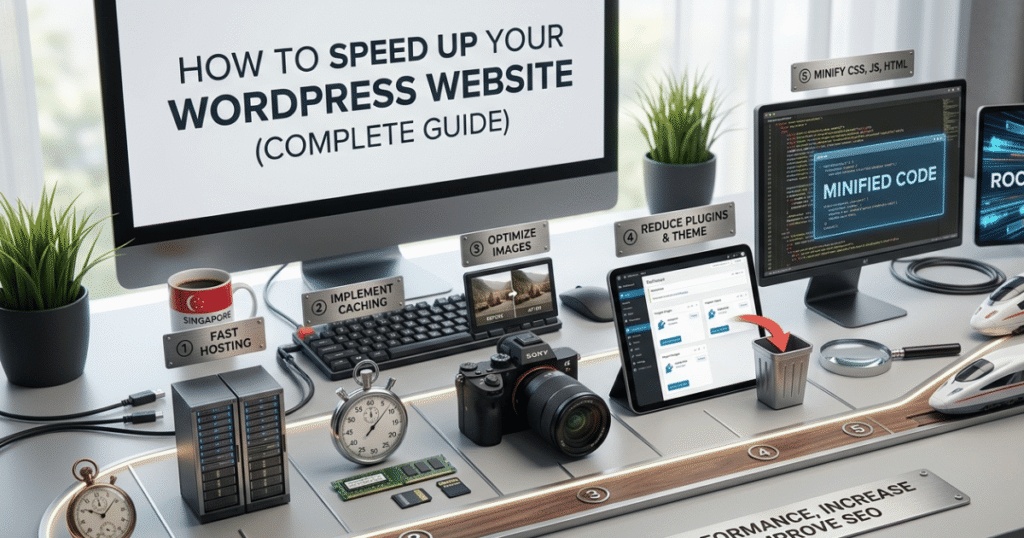
How to Speed Up Your WordPress Website (Complete 2026 Guide)
Learn how to speed up your WordPress website with proven optimization techniques. Improve loading times, enhance user experience, and boost your SEO rankings.
How to Speed Up Your WordPress Website (Complete Guide)
Website speed is one of the most important factors that determine your website’s success. A slow-loading website can frustrate visitors, increase bounce rates, and negatively affect your search engine rankings. Whether you manage a business website, portfolio, blog, or online store, improving your WordPress website’s performance should always be a priority.
Fortunately, speeding up your WordPress website doesn’t require advanced programming skills. By following a few proven optimization techniques, you can significantly improve loading times and provide a better browsing experience for your visitors.
In this guide, we’ll explore practical methods to optimize your WordPress website for speed while maintaining excellent functionality and design.
Why Website Speed Matters
A fast website benefits both your visitors and your business. Users expect websites to load quickly, and even a short delay can lead to frustration and lost opportunities.
Improving your website speed can help you:
- Enhance the overall user experience
- Reduce bounce rates
- Improve search engine rankings
- Increase visitor engagement
- Support higher conversion rates
- Deliver a smoother browsing experience across all devices
Search engines also consider page speed when evaluating website quality, making performance optimization an important part of any SEO strategy.
1. Choose a Reliable Web Hosting Provider
Your hosting provider forms the foundation of your website’s performance. Even the most optimized website may struggle if it’s hosted on slow or overloaded servers.
When selecting a hosting provider, consider:
- High-performance servers
- SSD or NVMe storage
- Built-in caching
- Reliable uptime
- Good customer support
- Scalable hosting plans
Choosing quality hosting is one of the most effective ways to improve your website’s loading speed.
2. Use a Lightweight WordPress Theme
Some WordPress themes include unnecessary features and large amounts of code that slow down your website.
A lightweight theme offers:
- Faster loading times
- Cleaner code
- Better compatibility
- Easier customization
- Improved performance
Selecting a well-optimized theme creates a strong foundation for your website.
3. Optimize Your Images
Large image files are one of the most common reasons websites load slowly.
Before uploading images:
- Resize them to the required dimensions.
- Compress them without sacrificing quality.
- Use modern image formats where supported.
- Avoid uploading unnecessarily large files.
Well-optimized images improve loading speed while maintaining visual quality.
4. Install a Caching Plugin
Caching allows your website to serve pre-generated pages instead of rebuilding them every time someone visits.
Benefits include:
- Faster page loading
- Reduced server workload
- Improved visitor experience
- Better scalability during traffic spikes
Many caching plugins are beginner-friendly and can significantly improve performance with minimal configuration.
5. Minimize Plugins
Installing too many plugins can affect website performance, especially if several plugins perform similar tasks.
Regularly review your plugins by:
- Removing unused plugins.
- Deleting inactive plugins.
- Keeping only trusted and well-maintained plugins.
- Updating plugins regularly.
Using fewer, high-quality plugins helps maintain a faster website.
6. Keep WordPress Updated
Updates often include performance improvements, bug fixes, and security enhancements.
Make sure you regularly update:
- WordPress Core
- Themes
- Plugins
Running outdated software may reduce website performance and expose your site to security risks.
7. Enable Lazy Loading
Lazy loading delays the loading of images until they become visible on the visitor’s screen.
Benefits include:
- Faster initial page loading
- Reduced bandwidth usage
- Better performance on mobile devices
- Improved user experience
This feature is especially useful for image-heavy websites.
8. Reduce Unnecessary Scripts
Every additional script increases the amount of work required before a page becomes fully interactive.
Consider removing:
- Unused JavaScript
- Unnecessary CSS files
- Unused fonts
- Outdated widgets
- Excessive animations
Keeping your website lean improves both speed and maintainability.
9. Use a Content Delivery Network (CDN)
A CDN stores copies of your website on servers around the world.
When visitors access your website, content is delivered from the server closest to their location.
Benefits include:
- Faster loading worldwide
- Lower server load
- Better website availability
- Improved global performance
Websites serving international audiences often benefit greatly from using a CDN.
10. Monitor Your Website Performance
Optimization isn’t a one-time task. Regular monitoring helps identify new performance issues before they affect your visitors.
Useful metrics include:
- Page loading time
- Largest Contentful Paint (LCP)
- First Contentful Paint (FCP)
- Cumulative Layout Shift (CLS)
- Time to Interactive (TTI)
Review your website regularly to ensure it continues performing well as new content is added.
Common Mistakes That Slow Down WordPress
Avoid these common issues:
a. Uploading Large Images
Oversized images consume unnecessary bandwidth and increase page loading times.
b. Installing Too Many Plugins
Every plugin adds additional code and may affect website performance.
c. Ignoring Updates
Running outdated themes or plugins can reduce efficiency and introduce compatibility issues.
d. Poor Hosting
Low-quality hosting often results in slower response times regardless of website optimization.
e. Excessive Animations
Too many animations and visual effects can delay page rendering and negatively impact user experience.
Best Practices for Long-Term Performance
To keep your website running smoothly:
- Audit your website regularly.
- Remove unnecessary content.
- Optimize new images before uploading.
- Keep software updated.
- Monitor loading performance.
- Test responsiveness on mobile devices.
- Review plugins periodically.
Consistent maintenance helps preserve excellent performance over time.
Frequently Asked Questions
1. How fast should a WordPress website load?
Ideally, your website should load within two to three seconds to provide a smooth user experience and support better SEO performance.
2. Do plugins always slow down WordPress?
Not necessarily. High-quality plugins that are actively maintained generally have minimal impact. However, installing too many plugins or poorly optimized ones can reduce performance.
3. Why are images important for website speed?
Large image files require more time to download. Optimizing images helps reduce loading times while maintaining good visual quality.
4. How often should I optimize my website?
It’s a good practice to review your website’s performance regularly, especially after installing new plugins, changing themes, or adding significant amounts of content.
Conclusion
A fast WordPress website provides a better experience for your visitors while supporting stronger search engine rankings and higher engagement. By choosing reliable hosting, optimizing images, reducing unnecessary plugins, and performing regular maintenance, you can create a website that loads quickly and performs consistently.
Website optimization is an ongoing process rather than a one-time task. Regular performance reviews and updates will help ensure your website continues delivering the speed and reliability that visitors expect.