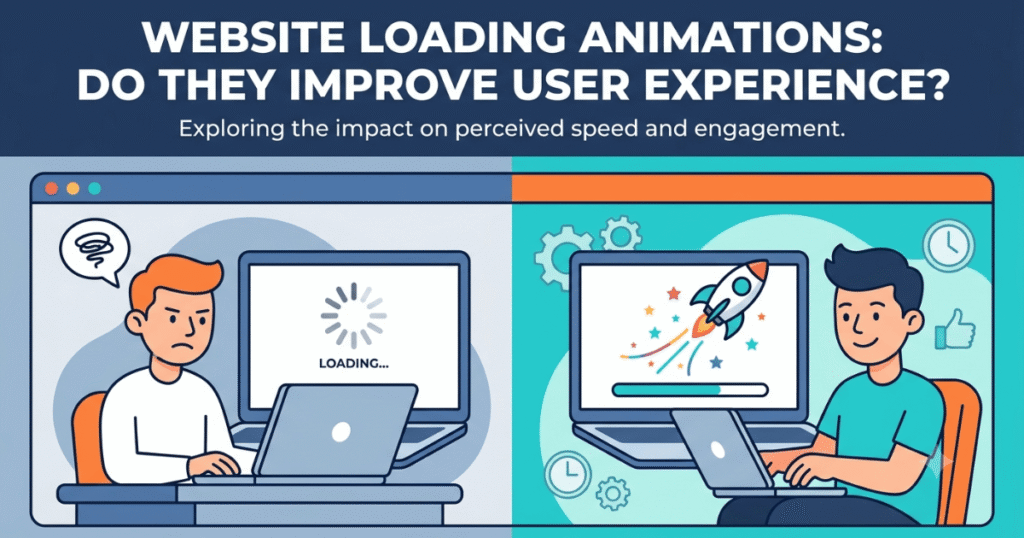
Website visitors expect pages to load quickly, but sometimes loading takes a few moments. During this time, loading animations can reassure users that the website is working instead of appearing frozen. When used correctly, these animations improve the user experience by reducing uncertainty and making waiting feel shorter.
However, loading animations should never be used to hide poor website performance. Their purpose is to communicate progress—not to replace optimization.
In this guide, you’ll learn what loading animations are, their benefits and drawbacks, and the best practices for using them effectively.
What Are Website Loading Animations?
Loading animations are visual indicators displayed while content, images, or data are being loaded.
Instead of showing a blank screen, they provide feedback that the website is processing a request.
Common examples include:
- Circular loading spinners
- Progress bars
- Skeleton screens
- Animated dots
- Pulse effects
Why Are Loading Animations Important?
Loading animations help improve the browsing experience by giving users visual feedback.
Benefits include:
- Reassure visitors that the website is responding.
- Reduce perceived waiting time.
- Improve overall user experience.
- Prevent users from thinking the website has frozen.
- Create a more polished and professional interface.
Types of Loading Animations
1. Loading Spinners
The most common loading indicator, used for quick loading processes.
Best for:
- Login pages
- Small requests
- Pop-up windows
2. Progress Bars
Progress bars show how much of a task has been completed.
Best for:
- File uploads
- Downloads
- Installation processes
- Multi-step forms
3. Skeleton Screens
Skeleton screens display placeholder versions of the page while content loads.
Instead of showing a spinner, visitors see the page layout immediately.
Best for:
- News websites
- Blogs
- E-commerce stores
- Social media platforms
4. Animated Dots
Three animated dots gently moving indicate background activity.
Best for:
- Chat applications
- Messaging platforms
- AI assistants
- Search functions
5. Pulse Effects
Elements softly fade in and out while waiting for content.
These create a smoother, more modern appearance than traditional spinners.
Loading Animation Comparison
| Animation | Best Used For |
|---|---|
| Spinner | Short loading times |
| Progress Bar | Long processes with measurable progress |
| Skeleton Screen | Content-heavy websites |
| Animated Dots | Messaging and search interfaces |
| Pulse Animation | Modern website placeholders |
When Should You Use Loading Animations?
Loading animations are most useful when:
- Loading takes more than one second.
- Retrieving information from a server.
- Processing user requests.
- Uploading files.
- Displaying dynamic content.
If your page loads almost instantly, a loading animation is usually unnecessary.
Common Mistakes
| Mistake | Better Solution |
|---|---|
| Showing loading animations on every page | Only display them when necessary. |
| Using overly complex animations | Keep animations simple and unobtrusive. |
| Making animations too slow | Ensure they feel responsive. |
| Hiding slow performance | Optimize website speed instead of relying on animations. |
| Inconsistent animation styles | Use the same animation style throughout the website. |
Best Practices
To use loading animations effectively:
- Keep animations short and smooth.
- Match the animation style to your brand.
- Use skeleton screens for content-rich pages.
- Avoid distracting or flashy effects.
- Optimize website performance first.
- Test animations on desktop and mobile devices.
- Ensure accessibility for users who prefer reduced motion.
How Elementor Can Help
Elementor allows you to create engaging loading experiences through:
- Entrance animations
- Motion effects
- Animated widgets
- Lottie animations
- Page transition effects
- Interactive elements
These features can enhance user experience when used thoughtfully without affecting website performance.
Frequently Asked Questions (FAQ)
1. What is a website loading animation?
A website loading animation is a visual indicator that appears while content or data is being loaded, helping users understand that the website is processing their request.
2. Do loading animations improve user experience?
Yes. They can reduce uncertainty and make waiting feel shorter by providing immediate visual feedback. However, they should be paired with good website performance.
3. What is the difference between a loading spinner and a skeleton screen?
A loading spinner is a rotating animation that indicates loading, while a skeleton screen displays a placeholder layout that resembles the final page before the content appears.
4. Can Elementor create loading animations?
Yes. Elementor supports motion effects, entrance animations, Lottie animations, and other interactive features that can be used to create engaging loading experiences.
5. Should every website use loading animations?
Not necessarily. If your pages load almost instantly, loading animations may be unnecessary. They are most beneficial when there is a noticeable loading delay.
Final Thoughts
Loading animations are a simple yet effective way to improve user experience by providing visual feedback while content is loading. Whether you use spinners, progress bars, skeleton screens, or subtle pulse effects, the goal is to reassure visitors that your website is responsive.
Remember, loading animations should complement a fast website—not compensate for a slow one. Focus on optimizing your site’s performance first, then use animations strategically to create a smoother and more enjoyable browsing experience.